Long time no post. School and the like has caught me up doing "responsible" things, so I haven't had much time to spend on here. Despite that, technology never stops.
One of the most anticipated jailbreaks rose and was toppled by iOS 6.1.3, the rumor mill is in full swing with the next iPhone(s), and I've become addicted to Pokémon again.
Hold on, Pokémon? That franchise for Nintendo systems for kids? Well, once upon a time, I was a kid with a Gameboy Advance, with my most precious Pokémon Ruby and Emerald versions. I've got the guidebooks, the movies, and more memorabilia than is probably good for me. As GBA evolved into DS, then DSi, my interest in Nintendo systems weaned along with my spending money. A couple weeks ago, however, I broke my years-long fast of Pokémon and Nintendo and bought a 3DS and Pokémon Black 2. I've always been interested in Pokémon's hacky side of things, as well as stats, and I've recently gotten into hex editing raw Pokémon data, but that'll be addressed in another post.
Informally, plan on seeing a bit more here.

Unique insight into the world of ever-evolving technology.
Battle of The Maps, Round 4: Navigation
Click here to check out a summary of the fight so far!
Maps are so useful because they get you where you want to go. It's the core reason for maps to exist. A good maps app should be able to flawlessly get you to your destination, and round 4 compares each maps apps' ability to do so. FIGHT!


Stats
Happy New Year! There are all sorts of reflections going on all across the Internet, so I figured I'd do one as well. I recently bought Keynote for iOS, and used it to visualize some data on the views World of Tech has received since the dawn of August 2011. First up is views by country.

Battle of The Maps, Round 3: Aesthetics
Apologies for this post being late. Round 4 is still on for its scheduled date!
Click here to check out a summary of the fight so far!
Click here to check out a summary of the fight so far!
Maps are a completely graphics-based idea, with the entire idea centering around a movable picture of the ground and roadways on it. Having those pictures look nice is an important part of enjoying using a map app. Round 3 evaluates each map apps' beauty. FIGHT!


My app wishlist
Christmas is tomorrow in America! Every year, I get iTunes gift cards, so I always have a long list of apps waiting to be bought. This year, I have...

Geekbench 2 ($0.99)
"Geekbench provides a comprehensive set of benchmarks engineered to quickly and accurately measure processor and memory performance. Designed to make benchmarks easy to run and easy to understand, Geekbench takes the guesswork out of producing robust and reliable benchmark results."
I always love to see just how my devices perform, and Geekbench is the golden standard for iOS.

Geekbench 2 ($0.99)
"Geekbench provides a comprehensive set of benchmarks engineered to quickly and accurately measure processor and memory performance. Designed to make benchmarks easy to run and easy to understand, Geekbench takes the guesswork out of producing robust and reliable benchmark results."
I always love to see just how my devices perform, and Geekbench is the golden standard for iOS.
App Store Favorite: Snapseed


iPhone, iPod Touch, & iPad | 24.5 MB | 4.5/5 stars
"Snapseed is the only photo app you’ll want to use every day. It makes any photograph extraordinary with a fun, high-quality photo experience right at your fingertips.
Anyone can enhance, transform, and share their photos with ease using incredibly advanced features from the leader in digital photography software. Built-in Google+ capabilities make it even more powerful to share your images with your friends and family."


Battle of The Maps, Round 2: Intelligence
A Battle of The Maps summary page was added, click here to check it out!
For maps to be useful, they have to know a lot and be able to adapt. Put another way, maps have to be intelligent so you don't have to be. Round 2 takes a look at just how well each map app uses its information and how wisely it uses it. FIGHT!

Battle of The Maps, Round 1: Compatibility
Click here to see more iOS map "fight" blogs.
Any good app should support every part of the platform its on. That includes working well with every supportable device, other apps, and the OS itself. Round 1 judges compatibility. FIGHT!

Battle of The Maps, Pre-Game Coverage

Click here to see more iOS map "fight" blogs.
Welcome to the World Wide Web FIGHT NIGGGHHHTTTTT!!! The iOS map title may be at stake. I'm here with the challenger, the brand new Google Maps for iOS, who is up against Apple Maps in the fight of the... week. Apple Maps has been ridiculed since its first release in iOS 6, and people only had the old iOS Google Maps to compare it to. Now, Google Maps is finally back on iOS, and it looks like it's ready to take back its place as the go-to iOS maps app.
Onswipe layout for iOS
Up under the logo, next to the Home link, is a new link: "iOS layout (experimental)." Recently I found a service called Onswipe that provides a more touch-friendly UI for blog sites. So, I made one for World of Tech. It only works on an iOS device (iPhone, iPad, iPod Touch...) and some Android tablets, I believe. Here's an overview of what it looks like.


App Store Favorite: Battleheart

iPhone, iPod Touch, & iPad | 62.0 MB | 4.5/5 stars
"Battleheart - enter a world of epic fantasy combat! Create a unique party of heroes, and lead them in frantic real-time battles against monsters of ever increasing power. Lay waste to your foes with dozens of unique special powers as you gain experience, upgrade your party's equipment, and craft them into the ultimate battle force!"

Niftis
Niftis is a post that highlights neat, interesting, fun, and techie items/stuff that I've found or created.
Blogsy for iPad
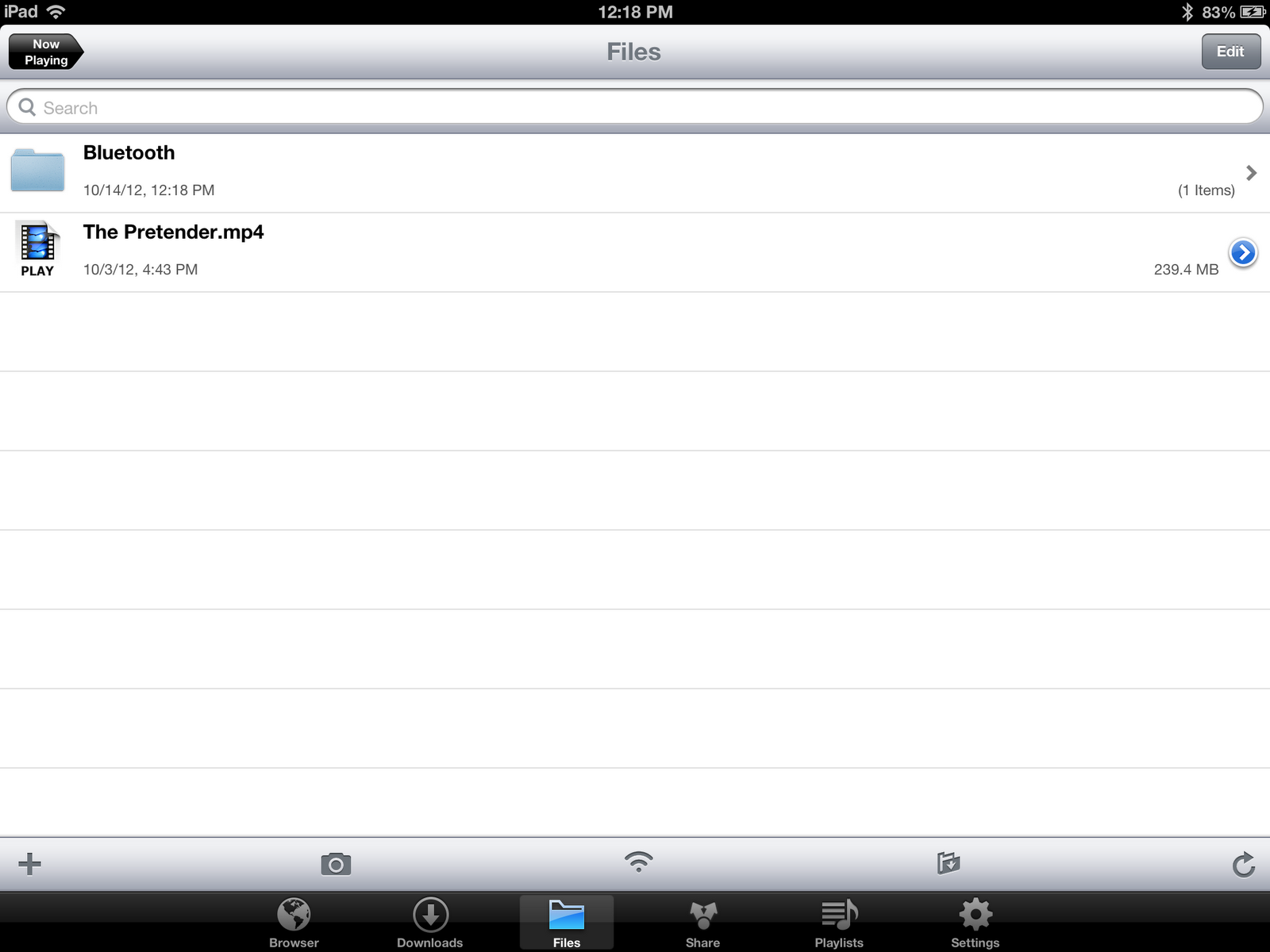
Since getting my iPad, I have slowly transitioned computer tasks into iPad tasks. For example, I prefer watching YouTube videos more on my iPad than my computer, and I more frequently make and edit documents in Google Drive from my iPad. I really wanted to start blogging from my iPad, but I couldn't find a good solution. Google's Blogger 2.0 update brought iPad support, but it was very lacking in tons of needed features. The Blogger website was a mess from any mobile browser, so I looked towards other apps. Through Google searches, I found that the top 2 blogging apps on the iPad were Posts and Blogsy. Only because of the difference in price, I went with Blogsy, which was half of Posts' $9.99 price tag. The big differences I picked up between the 2 were that Posts was modeled around Blogger's other features outside of creating and publishing posts, such as managing tags and comments. I felt Blogsy provided enough, so I got it. This is the second post I've created with Blogsy, and everything looks to be working rather well. Multiple photo placement is a bit iffy, but it always has been with Blogger.
The good and bad Windows 8 thus far
 Windows 8, Microsoft's latest (and greatest?) incarnation of their iconic operating system has been out for a few weeks, and I've been using the official release for as long as its been available. It's certainly a step towards the future of technology. "Technology and its innovations are the way of the future. Adapt or be left behind" is a saying I've come to find very true, especially with Windows 8. There have been points about how Microsoft and its new design suit mimic a lot of what Apple's been doing with its image and the image of their products. That's Microsoft adapting. Apple's Macs and iOS devices are so widely loved, and their ease of use is always contrasted with Microsoft products. So, Microsoft simplified their OS. Big, minimalistic tiles on a solid-color background with a little decal screams simplicity, or certainly more so than the Start menu. It's great to see Windows taking steps toward a more user-friendly experience, but there's still all that pre-Windows 8 OS to deal with.
iOS 6.1: Getting up-to-date
To check out more blog posts about iOS 6, including my introductory one, click here.
Last week, Apple released iOS 6.0.1, to combat some bugs in the iOS 6.0 release. Around the same time, they also posted iOS 6.1 for developers to try out. So, I updated my iPhone out of curiosity. There are 2 additions to iOS that come with 6.1 that most blogs have already picked up on, but I'll go over them anyway. They both have to do with catching up with the rest of iOS.
Why I'm perfectly happy with the iPad 3
Today Apple released a new iPad (fourth generation), along with some Macs and an iPod Touch Jumbo iPad Mini. Those will be covered in other posts. The new 4th gen iPad made some people unhappy. Usually, Apple refreshes its iPad lineup around March. They did this year with the 3rd gen iPad (the one I own). All of a sudden, the schedule is thrown off. Now all the iPad 3s are obsolete 6 months before they should have planned to be! But here's why I don't care.
App Store Favorite: Media Downloader

iPhone, iPod Touch, & iPad | 21.5 MB | 4.5/5 stars
"Media Downloader is designed for you easily download free and legal musics and videos. Its simple effective and easy to use, you can easily download media from a huge variety of sites and then play them right on your i-Devices or transfer them to computer, other i-Devices or Cloud. Now get it and start your free media life."

App Store Favorite: Solar
iPhone & iPod Touch only | 2.0 MB | 4.5/5 stars
"Solar is an exquisitely designed weather app.No vector polygons, no dew point calibration and it won't remind you to wear a jacket. Just radiant, colorscapes to accurately help you size up your day."

Navigating future weather conditions is fun. To see a forecast for the next 3 days, just slide down. To jump ahead a few hours, slide up and watch the clock icon spin through time to see upcoming weather conditions.
How to put programs from your computer to your calculator
This guide only applies to people with a TI-83 or higher calculator.
Step 1
Download and install TI Connect on your computer here.
Step 2
Plug your calculator into your computer and open TI Connect.
Plug your calculator into your computer and open TI Connect.

Step 3
Click the first icon in TI Connect labeled "TI DeviceExplorer." Then just drag and drop the program files onto the line labelel "Program."

A sky filled with Cloud
Over the years I've collected up some cloud storage services. I began with Dropbox as a sort of experiment, a universal tool for whatever I thought I might need stored online, accessible from any other Internet-connected computer. Then, in a more recent year, Box.net (now just Box) had an offer to sign up with an iOS device, so I did. SkyDrive was sort of adopted as Microsoft melded it into their other products like Live, MS Office, and even Windows 8. Last year I began to use Google Docs for school a lot, and that transitioned into Google Drive. Then there's iCloud, which came a few iOS updates ago (I'm not even sure that can be considered a cloud storage service). I have all these services, with most of them nowhere near at their potential. Now that you have the history, let's dig a bit deeper.
Dropbox

Dropbox is probably my most used service of everything listed above. There's so many apps and websites that use it. It also does the one thing that no other service I've used has been able to: give you a direct link to a file (photos especially) with great ease. I tend to upload and post lots of photos online, and having a direct link quickly accessible is very important. In addition to photo sharing, I use it to move miscellaneous files from one computer to another, be it at home from my computer to an iOS device, or from my computer to a computer at school. I have amassed 4.13 GB in free space (4.9% of which I'm using), which you'll see doesn't compare too well with other services.
Dropbox

Dropbox is probably my most used service of everything listed above. There's so many apps and websites that use it. It also does the one thing that no other service I've used has been able to: give you a direct link to a file (photos especially) with great ease. I tend to upload and post lots of photos online, and having a direct link quickly accessible is very important. In addition to photo sharing, I use it to move miscellaneous files from one computer to another, be it at home from my computer to an iOS device, or from my computer to a computer at school. I have amassed 4.13 GB in free space (4.9% of which I'm using), which you'll see doesn't compare too well with other services.
Subscribe to:
Posts (Atom)