

Unique insight into the world of ever-evolving technology.
iPad
Welcome Ty
A couple days ago, I posted a blog about some changes here. One of those changes is a new author joining World of Tech. His name is Ty, and he's going to be writing blog posts here. He's one of the few guys that I know that can keep up with all the tech stuff inside my head, often surpassing it. I think he has a lot to contribute, and I hope everyone will enjoy his content! Welcome, Ty!
Expanding
Very soon, World of my Tech will be experiencing some growth, which means a new name and new URL. Instead of http://cm5womt.blogspot.com, we'll be located at http://worldotech.blogspot.com. And instead of World of my Tech, we'll be called World of Tech. Reason being is that a new author is joining the blog, and the "my" part just doesn't fit for a multi-person blog. There will be a few other changes, so stay tuned. And remember, if nothing is at this domain, it's been moved to http://worldotech.blogspot.com.
We're on Google+!
World of my Tech has a Google+ page! I've started focusing on getting the word out about my blog, and a Google+ page is a good start. Every time a blog is posted, it's shared via the WOMT G+ page. Adding it to a Circle is a quick and easy way to see the latest posts, as well as get some occasional behind-the-scenes info. And don't forget to +1 the page and blog posts!
My homescreen through the years
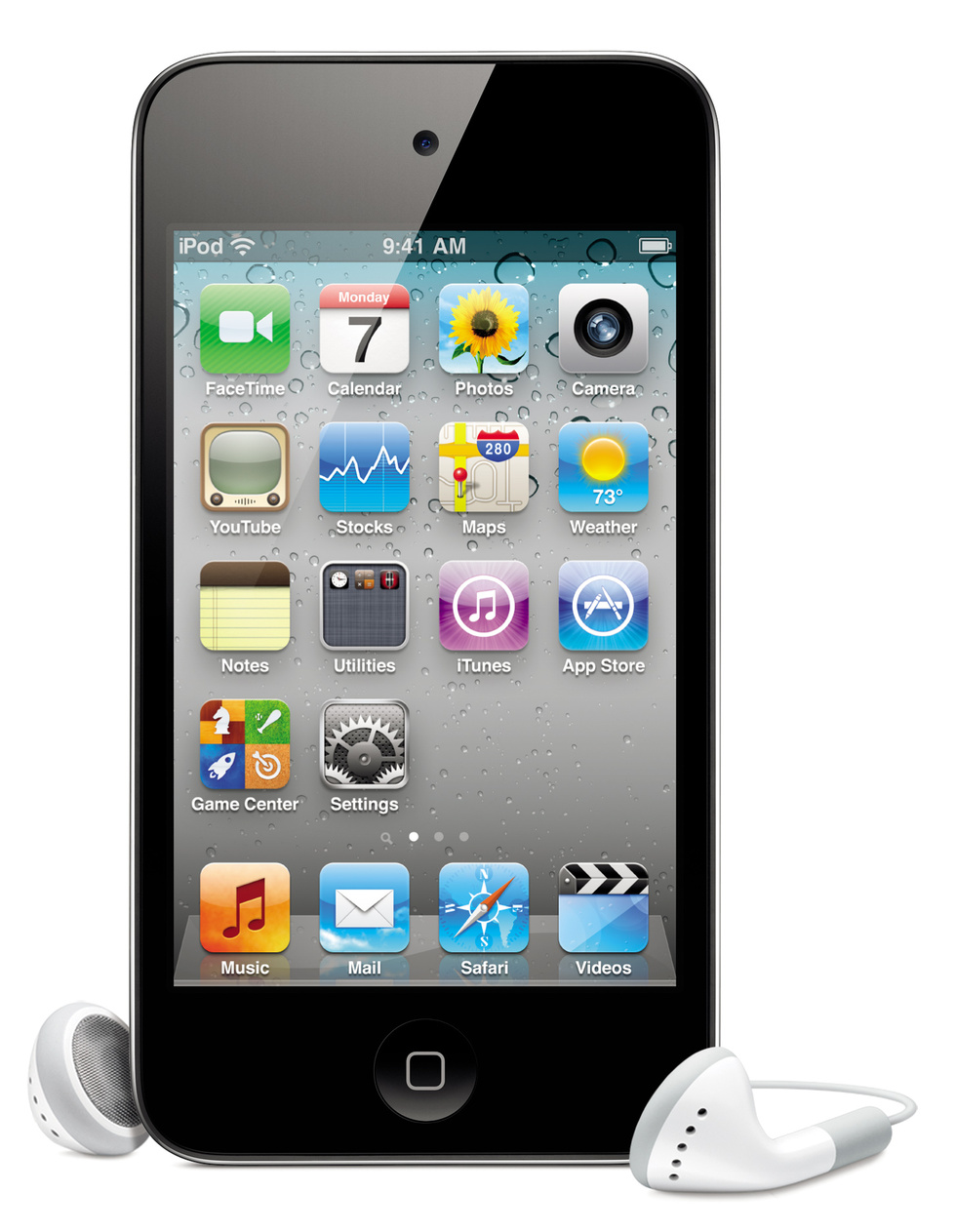
For the longest time, the first page of my homescreen was set up almost completely like what it looked like on a brand new device. I recently dug through all my photos from device backups, computer backups, Dropbox accounts, and anywhere else I could think of that would have screenshots of my homescreen stored away. The oldest image I found was of my iPod's homescreen in December of 2010. If I remember correctly, I got my iPod in late March and jailbroke it for the first time in June. To compare to a "default" homescreen setup, I found this image of a 4th generation iPod Touch. My iPod is a 3rd gen, so it doesn't have a FaceTime or Camera app, but everything else should be about the same.

My initial design was having the Mail app first (where the FaceTime is); leaving the Calendar, Photos, and Contacts (which was by default where the Camera is) apps alone; not messing with the second or third row (the Settings app was next to the Utilities folder, not on the fourth row); and putting 2 frequently used apps on the bottom row, next to Game Center and the App Store. On the dock, I left Music first (or iPod, as a jailbreak tweak turned it into for awhile), Safari second, and 2 folders last. I was almost always jailbroken, so I had 5 icons on my dock. The other app would be iFile (a jailbreak app) and the 2 folders would usually contain my Favorites apps and my Jailbreak apps. This setup, which will be the template for 2 years, 2 devices, and over a dozen iOS updates of homescreens, is shown in my first screenshot.
My initial design was having the Mail app first (where the FaceTime is); leaving the Calendar, Photos, and Contacts (which was by default where the Camera is) apps alone; not messing with the second or third row (the Settings app was next to the Utilities folder, not on the fourth row); and putting 2 frequently used apps on the bottom row, next to Game Center and the App Store. On the dock, I left Music first (or iPod, as a jailbreak tweak turned it into for awhile), Safari second, and 2 folders last. I was almost always jailbroken, so I had 5 icons on my dock. The other app would be iFile (a jailbreak app) and the 2 folders would usually contain my Favorites apps and my Jailbreak apps. This setup, which will be the template for 2 years, 2 devices, and over a dozen iOS updates of homescreens, is shown in my first screenshot.
iOS 6: New stuff in beta 4
To check out more blog posts about iOS 6, including my introductory one, click here.
I finally was able to update to iOS 6 beta 4, and one new feature immediately showed up. When a new iOS device is set up running iOS 5 or higher, it goes through this setup process on the device. It appears that a similar process will occur after updating.
iOS 6: Betas 3 & 4
To check out more blog posts about iOS 6, including my introductory one, click here.
Subscribe to:
Posts (Atom)